 how-to
How to Scale Print Production in 2026: 7 Steps
Table of Contents
- What You'll Need Before You Scale Print Production
- Step 1: Map Your Current Print Workflow and Find Bottlenecks
- Step 2: Choose Print Production Automation Tools That Fit Your Volume
- Step 3: Build Fast Turnaround Commercial Printing Services Into Your Schedule
- Step 4: Managing Multi-Location Print Projects Without Losing Consistency
- Step 5: Train Your Team for Higher Throughput
- Step 6: Strengthen Supply Chain Resilience for 2026
- Frequently Asked Questions
Last Updated: September 16, 2026
What You'll Need Before You Scale Print Production
To scale print production in 2026, start with knowing your real numbers, not your gut feeling. This guide from American Printing Services, LLC walks through the seven steps that separate print operations that grow smoothly from those that collapse under their own volume.
Baseline metrics to capture first
Track these four numbers for at least 30 days before making any capital decision:
- Throughput per shift, total jobs completed, not hours logged
- Rework rate, the percentage of jobs that need a second pass
- Average turnaround time, from file receipt to shipment
- Asset use, how many hours your current equipment actually runs
Infrastructure checklist for 2026
- A print management system (PMS) or MIS that tracks jobs in real time
- Barcode-driven workflows at every handoff point
- Network bandwidth that supports large-format file transfers
- A documented color management standard across all devices
Step 1: Map Your Current Print Workflow and Find Bottlenecks
A print workflow map is a visual diagram of every step a job passes through, from customer inquiry to final delivery, with the time and cost attached to each stage. Without one, you're guessing where the delays live.
Common bottlenecks include:
- Manual file prep and preflight checks
- Approval loops that stall in email threads
- Single-point equipment that everything queues behind
- Shipping consolidation that waits for stragglers
Step 2: Choose Print Production Automation Tools That Fit Your Volume
Print production automation tools are software systems that handle repetitive tasks like job intake, imposition, routing, and fulfillment notifications without manual intervention. The right tool depends entirely on your monthly volume, not on which vendor has the best sales pitch.
| Monthly Volume | Recommended Automation Level | Key Capability |
|---|---|---|
| Under 500 jobs | Basic MIS + preflight | Job tracking, file validation |
| 500-2,000 jobs | Mid-tier MIS + routing | Barcode workflows, batch processing |
| 2,000+ jobs | Enterprise MIS + API integration | Real-time analytics, machine integration |
Cost-benefit analysis before you commit
Automation pays back through labor hours recovered and rework eliminated, not through magic. Build a simple model: multiply your hourly labor cost by the hours each automated step saves, then subtract the annual software cost. If payback exceeds 18 months, the tool is too expensive for your current volume.
Mistakes to avoid when picking tools
- Buying for the volume you hope to have, not the volume you have
- Ignoring integration requirements with existing equipment
- Skipping the trial period on a system you'll live with for years
Step 3: Build Fast Turnaround Commercial Printing Services Into Your Schedule
Fast turnaround commercial printing services work by reserving dedicated capacity for rush jobs rather than treating every order as equally urgent. The shops that consistently hit tight deadlines do it through scheduling discipline, not heroics. The operational mechanism is a protected expedite lane: a fixed block of daily machine and labor hours that only rush work can consume, with a hard cutoff that forces overflow to a partner facility instead of silently degrading standard-job lead times.
The capacity math behind a rush lane
Before you promise a turnaround window, calculate your true daily capacity in impressions or sheets, then subtract planned maintenance, makeready, and a waste allowance. A common pattern is that makeready and color approval consume 15 to 25 percent of press time on short-run work, so a press rated at 10,000 sheets per hour may only deliver 6,000 to 7,000 sellable sheets in a real shift.
Scheduling rhythm that protects standard jobs
- Block standard production into fixed daily windows by work center, not by job.
- Reserve one shift block (or a defined hourly window) for expedited orders only.
- Set a daily cutoff time; after cutoff, new rush requests either wait for the next expedite block or route to a partner facility.
- Route overflow to partner facilities before promising a deadline, not after the job is late.
- Review the rush-to-standard ratio weekly and adjust the block size.
Defining turnaround tiers and SLAs
Vague promises like "fast turnaround" create disputes. Define tiers with explicit clocks: for example, same-day (file received before 10 a.m., shipped by close of business), next-day, and 2-to-3-day standard. Each tier should map to a specific expedite block and a specific shipping method. Publish the cutoff times to customers so the clock starts when the file is approved, not when the inquiry arrives.
When to route overflow to a partner network
Overflow routing is the pressure valve that lets you accept rush work without breaking standard commitments. Qualify at least two partner facilities for each major process (offset, digital, large-format, finishing) and test them with low-risk jobs before peak season. Confirm their color profiles, substrate availability, and shipping cutoffs match yours. American Printing Services, LLC operates a vast network with around 2000 production facilities across North America, which means overflow capacity is available without turning customers away.
Step 4: Managing Multi-Location Print Projects Without Losing Consistency
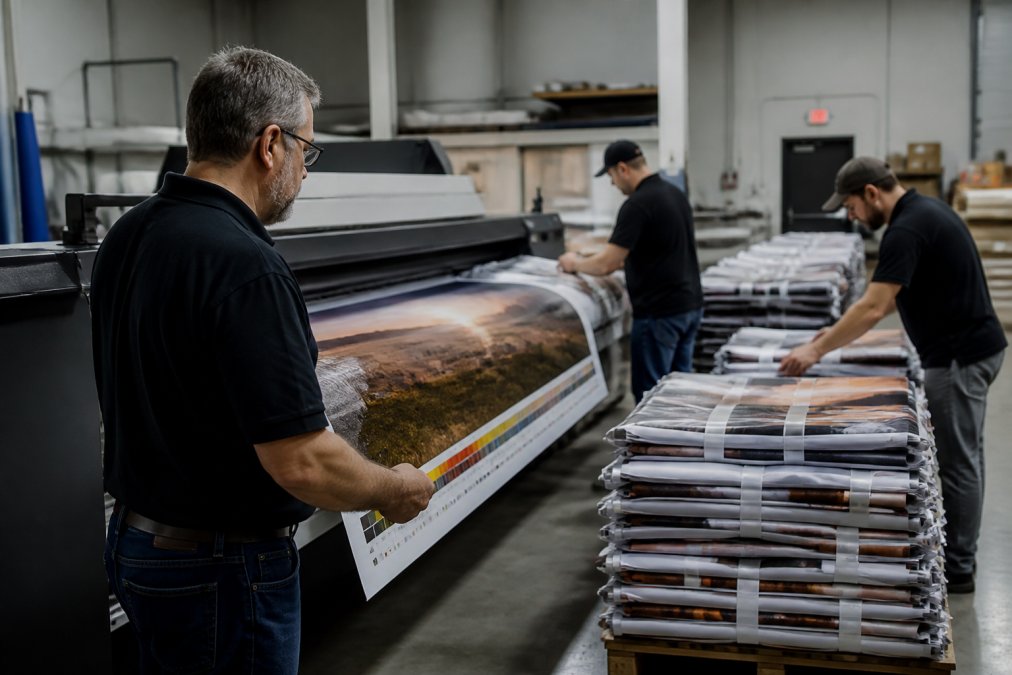
Managing multi-location print projects means coordinating identical or near-identical materials across multiple sites while keeping color, sizing, and branding identical everywhere. The hard part isn't printing. It's consistency at speed.
Color consistency and quality control at speed
Quality control in high-speed environments requires checkpoints, not final inspections. Build verification into the workflow at three points: preflight, first-article approval, and mid-run sampling. Catching a color drift at 500 pieces is far cheaper than catching it at 5,000.
Step 5: Train Your Team for Higher Throughput
Higher throughput comes from operators who understand the whole workflow, not just their station. Cross-training is the highest-return investment most print operations can make in 2026, and it is also the most overlooked. Most scaling guides focus on hardware and software; almost none address the human side of the automated shop. That is a gap worth claiming, because a new press run by an operator who cannot diagnose a registration drift will underperform an older press run by someone who can.
Why workforce upskilling is the missing scaling lever
Automation changes the job, it does not eliminate it. A barcode-driven workflow still needs someone to recognize when a scan failure signals a substrate problem rather than a software glitch. A real-time MIS still needs someone to interpret a throughput dip as a maintenance signal rather than a scheduling error. The operators who can make those calls are the ones who keep a scaled operation running.
A competency framework for print production roles
Define skill levels explicitly so training has a target. A workable four-level framework:
- Level 1, Station operator: can run one station to standard, perform basic setup, and recognize common faults.
- Level 2, Multi-station operator: certified on two or more adjacent stations, can rotate without supervision.
- Level 3, Troubleshooter: can diagnose color drift, registration issues, and substrate feed problems, and can perform first-line maintenance.
- Level 4, Trainer/lead: can certify others, document procedures, and adjust schedules at the constraint.
A practical upskilling sequence
- Document the standard procedure for every station, including setup, run, and shutdown.
- Pair each operator with a trainer on an adjacent station for a defined number of shifts.
- Certify competency against a written checklist before moving to the next station.
- Rotate assignments monthly to keep skills sharp and reduce single-point dependency.
- Track a simple metric: percentage of operators certified at Level 2 or above. Aim to raise it quarter over quarter.
Connecting training to throughput metrics
Training should move a number. Before you start, record baseline throughput per shift, rework rate, and average turnaround time. After each certification cycle, re-measure. A common pattern is that rework rate falls first, because trained operators catch defects earlier, and throughput rises second, because fewer jobs need a second pass. If neither metric moves after a full training cycle, the problem is likely the procedure documentation, not the people.
Retention and the cost of turnover
Scaling production increases the cost of turnover, because a trained operator who leaves takes institutional knowledge with them. Documented procedures and a certification ladder reduce that exposure: a new hire can be brought to Level 1 faster when the standard is written down, and a Level 2 operator can cover a vacancy without a scramble. Treat training records as operational infrastructure, not HR paperwork.
Step 6: Strengthen Supply Chain Resilience for 2026
Supply chain resilience for 2026 means building redundancy into substrates, consumables, and fulfillment capacity before you need it. Print operations that depend on a single paper supplier or a single finishing vendor are one disruption away from missing every deadline.
Frequently Asked Questions
What are the major printing trends for 2026?
The biggest shifts center on automation, personalization, and supply chain resilience. Barcode-driven workflows and real-time analytics are replacing manual job tracking, while variable data printing makes short-run customization affordable. Large-format printing and print-on-demand continue to grow as brands reduce upfront inventory risk. Sustainable growth strategies now include cost-benefit analysis of every automation purchase rather than buying tools on hype. Quality control in high-speed environments is also a top priority, since faster presses expose weak inspection processes quickly.
How can businesses automate print production workflows?
Start by mapping every handoff between order intake, prepress, press, and finishing. Then connect those handoffs with software: web-to-print portals for order capture, barcode-driven workflows for job routing, and production tracking dashboards for real-time status. Machine integration matters too, so choose print production automation tools that talk to your existing presses and cutters. Automatic imposition and preflight reduce prepress time, while fulfillment automation handles packing and shipping labels. Expect the first gains in lead time reduction, not headcount cuts.
How do you manage multi-location print projects effectively?
Centralize the brand assets, then decentralize the ordering. A single source of truth for logos, color profiles, and templates prevents drift across locations, while a web-to-print portal lets each site order what it needs within approved specs. Use production routing to send jobs to the nearest capable facility, which cuts shipping time and cost. Managing multi-location print projects also means one consolidated invoice and one point of contact, so procurement can track spend without chasing five vendors.
Is print-on-demand still profitable in 2026?
Yes, when it is paired with the right fulfillment automation. Print-on-demand removes upfront inventory risk, which matters for retailers testing new designs or seasonal campaigns. Margins depend on batch processing efficiency, substrate costs, and shipping distance, so routing orders to the closest production facility improves both speed and profitability. The model works best for customizable items like apparel, signage, and short-run collateral. High-volume static jobs still usually cost less through offset or dedicated digital runs.
Scaling print production in 2026 comes down to discipline: measure first, automate second, and build redundancy before you need it. American Printing Services, LLC supports that process with a network of over 2,500 production facilities, more than 20 years of industry experience, and comprehensive service covering everything from business forms to branded merchandise. Get started with American Printing Services, LLC and build a print operation that scales without breaking.