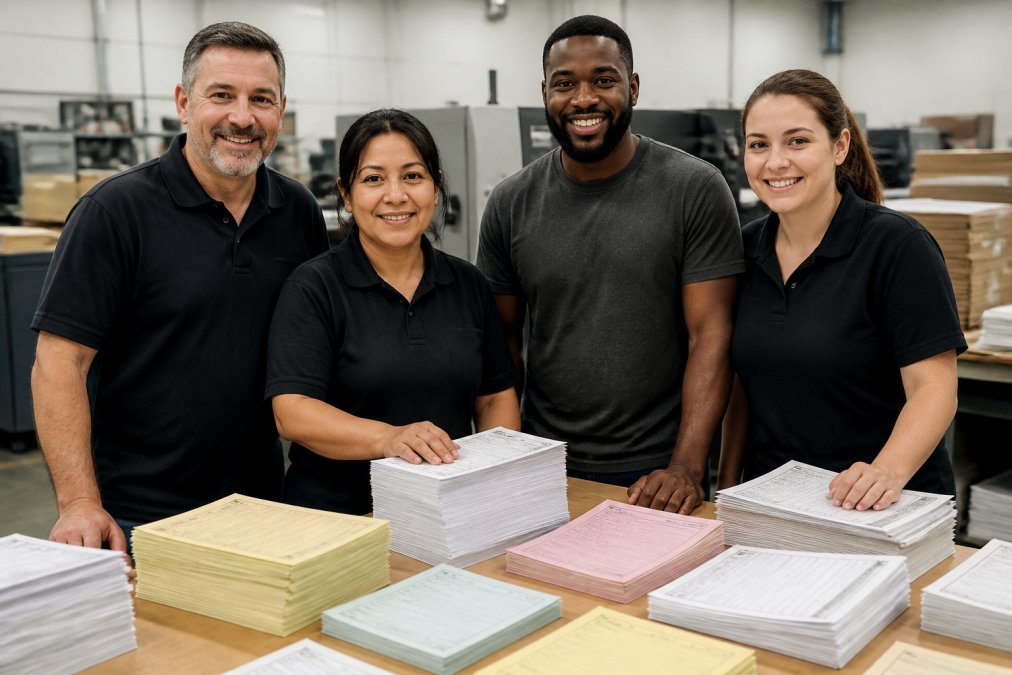
 comparison
The UPS Store Alternative for Business Forms: Bulk Printing
Table of Contents
- Why Retail Print Shops Fall Short for Business Forms
- Commercial Printing vs Retail Printing: What Actually Changes
- Bulk Business Form Printing Services: Cost and Quality Compared
- Custom Carbonless Form Printing: Multipart Forms Done Right
- Beyond Forms: Mailbox, Shipping, and Finishing Services
- The Digital Alternative: Form Builders for a Paperless Workflow
- How to Choose a Business Forms Printing Partner
- Conclusion: Make the Switch to a Dedicated Printing Partner
- Frequently Asked Questions
Last Updated: September 7, 2026
When your business relies on multipart forms, invoices, and carbonless sets, a retail print counter often becomes a bottleneck. The search for a theupsstore alternative for business forms usually starts because of a missed deadline or a batch that arrived with misaligned copies. This guide compares retail stops against dedicated commercial printing partners and covers digital options.
The core difference comes down to equipment and workflow. Retail shops run digital presses suited for short runs, while commercial printers use production-grade offset and digital systems built for volume. Below, we break down what changes when you move from a walk-in counter to a dedicated business forms printing partner.
Why Retail Print Shops Fall Short for Business Forms
Retail print shops handle one-off jobs well, but recurring business forms printing exposes their limits quickly. A standard retail counter typically lacks the high-speed web presses and collating equipment needed for efficient multipart production.
The operational gaps become obvious during peak cycles. When you need 5,000 three-part carbonless invoices across five locations, a retail shop may split the job across days or outsource it, creating color and alignment inconsistencies between batches. Retail counters also rarely stock the variety of paper stocks and carbonless coatings that commercial suppliers keep on hand.
Walk-in counters prioritize in-person customers, so a bulk order often sits behind a queue of single-page print jobs. That unpredictability makes inventory planning difficult and risks operational delays when forms run low.
Commercial Printing vs Retail Printing: What Actually Changes
Commercial printing uses production equipment designed for high-volume output, while retail printing relies on smaller digital machines meant for short runs. The shift changes your cost per unit, your quality ceiling, and your ability to customize.
Commercial printing vs retail printing matters most when you look at unit economics. A commercial printer with a network of production facilities can consolidate a large order into a single efficient run, lowering the per-form cost substantially. The trade-off is minimum order quantity: commercial partners usually require larger volumes to justify the setup, so they suit businesses with predictable, recurring needs.
Quality control also scales differently. Commercial operations run color calibration checks and registration tests across the entire batch, ensuring every carton matches the first proof. Retail machines may drift in color density over a long run, producing subtle variations between reams.
Bulk Business Form Printing Services: Cost and Quality Compared
Bulk business form printing services exist specifically for organizations that consume forms by the case, not the ream. The cost advantage comes from economies of scale: setup and plate costs spread across thousands of units rather than hundreds. The real question is: when does it become cheaper to print in-house versus outsourcing?
The DIY vs. Professional Break-Even Point
A common pattern among small businesses is starting with an office-grade laser printer. A mid-range printer costs roughly $300 to $600 upfront, paper runs $5 to $8 per ream, and toner costs $70 to $120 (pcmag.com). The marginal cost per page lands around 3 to 6 cents, but hidden costs include staff time spent babysitting print jobs, misaligned trays, jammed feeders, and reprints when toner runs low mid-batch.
For carbonless multipart forms, the DIY math collapses quickly. A team of carbonless paper (2-part, 500 sets) costs $40 to $60; a 3-part team runs $60 to $90 (uline.com). When you print these on a standard office printer, you are paying for the risk of poor registration. If the top sheet and bottom sheet misalign by even a millimeter, the transfer coating fails and the bottom copy is unreadable, a wasted batch and a missed deadline.
A practical benchmark: if your annual form volume is under 2,000 sets, in-house printing on a decent laser printer is defensible. Above that threshold, commercial production drops below your marginal in-house cost, and the quality ceiling is categorically higher. The break-even point shifts further toward outsourcing when you need numbering, perforation, or padding, because those finishing steps require equipment no office printer has.
What You Are Actually Paying For at Commercial Volume
Commercial pricing structures reward commitment. A typical commercial quote for a 5,000-set run of 3-part carbonless invoices might price at 15 to 25 cents per set. The same job at a retail counter often prices at 40 to 60 cents per set because they run it on a digital press in small batches and apply finishing as a manual afterthought.
Quality benchmarks differ too. Commercial bulk business form printing services typically offer:
- Consistent paper weight and brightness across the entire run. Retail paper varies by batch; commercial suppliers source from mills that hold to tighter caliper and brightness tolerances.
- Precise registration on multipart sets. Commercial presses use pin-fed registration or high-end sheet-fed systems that hold alignment across thousands of impressions. Office printers and retail digital presses drift.
- Perforation and numbering applied inline during printing. This is not an add-on service; it is part of the production pass, which is why it costs less per unit than a retail shop doing it as a separate step.
- Proofing before the full run. A commercial partner runs a physical proof on the actual stock, not a generic paper sample, and you approve that proof before the press starts.
The Reorder Trap
The real cost trap appears when you order small batches frequently. Each reorder carries setup charges, so five small orders can cost more than one large order. Plan your annual usage and order against that forecast. If your usage is unpredictable, keep a small buffer of generic forms in-house for emergencies and run your predictable volume on a quarterly commercial schedule.
Do not trust a quote without a physical sample. Ask your commercial partner to send a press proof on the exact paper stock you intend to use. Check the bottom copy of a multipart set for legibility, and verify that perforations tear cleanly without pulling fibers. That 10-minute check prevents a 10,000-set mistake.
Custom Carbonless Form Printing: Multipart Forms Done Right
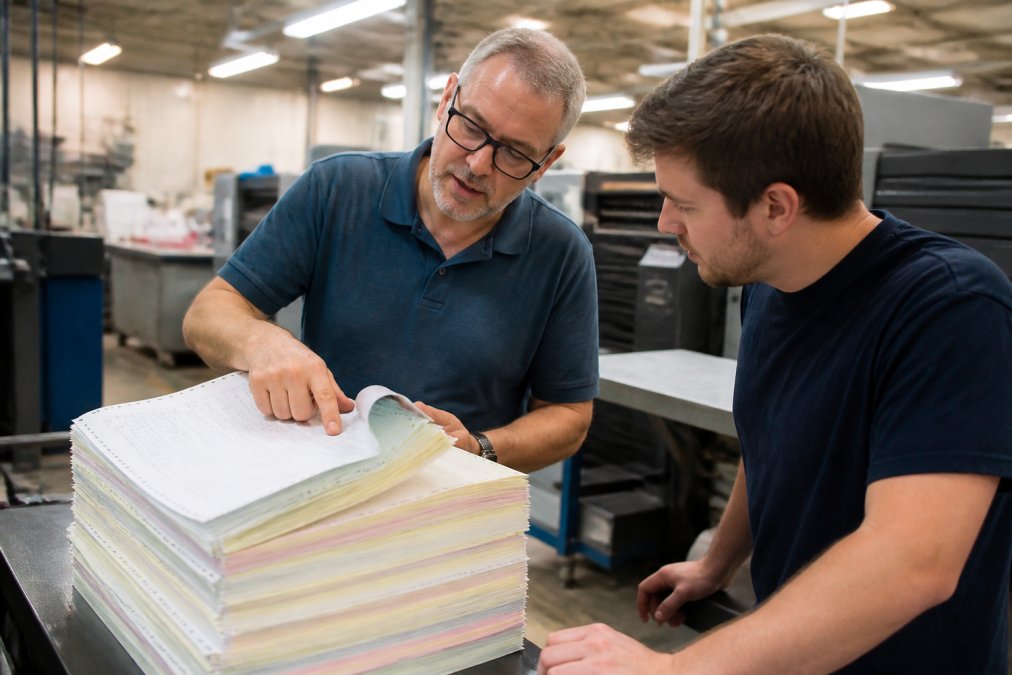
Custom carbonless form printing is where dedicated commercial partners separate themselves from retail counters. Carbonless paper uses a chemical coating that transfers marks from the top sheet to copies beneath, and getting that transfer clean requires precise press calibration.
Retail shops often carry only standard sizes and generic NCR paper. A commercial partner can produce custom carbonless form printing jobs in the exact dimensions, paper weights, and copy counts your workflow needs. Numbering, perforation, and padding are applied as part of the production run rather than as costly add-ons.
The quality factor that matters most is legibility of the last copy. On a five-part set, the bottom sheet must remain readable after the top sheets absorb pressure. Commercial presses control the coating weight and paper caliper to keep that bottom copy crisp; a poorly calibrated retail run may produce a smudged final copy that creates billing errors.
Beyond Forms: Mailbox, Shipping, and Finishing Services
A printing partner that also handles mailbox rental, shipping logistics, and document finishing consolidates your vendor list into one relationship.
Mailbox services provide a stable street address for business registration, separating your home address from your public-facing identity. Many commercial printers offer mailbox rental alongside printing, so you can receive packages and signed documents where your forms are produced.
Shipping and logistics capabilities vary by provider. A partner with nationwide delivery can ship finished forms directly to multiple store locations, cutting your freight coordination work. Document finishing services such as binding, laminating, and collating let you order training manuals in the same batch as your forms.
For multi-location operations, this consolidation reduces the administrative load: one purchase order, one shipping schedule, and one point of contact for quality issues.
The Digital Alternative: Form Builders for a Paperless Workflow
Before you reorder paper forms, evaluate whether a digital form builder could eliminate the print run entirely. Online form platforms let you collect data electronically, generate PDFs from submissions, and sync records to your database. The real question is: which of your forms actually need paper, and which are paper-only out of habit?
The Paper-Only Test
A practical framework used by operations managers is the three-question test. First, does the form require a physical signature from a customer or a delivery driver at the point of transaction? Second, does the form need to survive harsh field conditions, rain, grease, or being stuffed into a pocket? Third, is the form a legal or regulatory record that requires an original wet signature? If you answer yes to any of these, paper is likely the right medium. If you answer no to all three, a digital form will probably save you money and time.
For forms that stay in the office, internal requisitions, expense reports, inventory counts, digital is almost always the better call. The fully loaded cost of a paper-based internal form runs $3 to $5 per form when you include filing, storage, retrieval, and data entry (apqc.org). A digital form reduces that to near zero.
When Digital Forms Actually Replace Paper
For field service businesses, the shift is most dramatic. A delivery driver who used to carry a clipboard with three-part carbonless delivery receipts can now capture a signature on a tablet. The signature is stored digitally, synced to the cloud, and attached to the customer record automatically, eliminating the weekly chore of reconciling paper receipts and the problem of illegible handwriting on the bottom copy.
But digital forms require hardware, connectivity, and training. If your field staff lack reliable internet access or rugged devices, the digital solution creates a new bottleneck. A hybrid approach often works best: keep paper forms for customer-facing transactions where a physical signature is expected, and move internal workflows to digital tools.
Choosing the Right Platform
When you do move digital, the platform choice matters less than the workflow design. The most common failure is adopting a form builder without integrating it into your existing database or notification system. A form that collects data into a silo is barely better than a paper form in a filing cabinet.
Jotform offers a drag-and-drop builder with 10,000+ templates, enterprise workflow automation, and payment gateway integrations including PayPal, Square, and Stripe. It suits businesses needing complex, data-heavy forms with automated routing. The trade-off is a steeper learning curve given the feature depth.
Tally provides a minimalist, Notion-style interface with unlimited forms and submissions on the free plan. It integrates with Google Sheets, Notion, and Slack, making it ideal for small teams that want a clean, cost-effective solution without enterprise complexity.
Fillout specializes in real-time database syncing with Airtable and Notion, offering advanced styling and multi-page forms with conditional logic. It starts at $15 per month and works best for users who need form data flowing directly into existing database workflows.
Cognito Forms handles complex calculations and document merging, generating PDFs from form input. Its repeating sections support multi-item data entry, and its data encryption meets compliance needs. The interface feels more utilitarian than newer competitors, but its calculation engine is the strongest of the group.
| Platform | Starting Price | Best For | Key Limitation |
|---|---|---|---|
| Jotform | Free (Starter) | Complex, data-heavy forms | Steep learning curve |
| Tally | Free | Simple, unlimited forms | Limited enterprise reporting |
| Fillout | $15/month | Database syncing (Airtable, Notion) | Tied to specific ecosystems |
| Cognito Forms | Free | Calculations and PDF generation | Utilitarian interface |
The Hybrid Workflow That Wins
The most cost-effective approach for most businesses is a deliberate split. Keep paper forms for field use where signatures and physical handoffs matter, delivery receipts, service tickets, inspection forms. Move internal data collection, expense reports, time sheets, inventory counts, to digital tools. This reduces print volume without forcing a full workflow overhaul, and it lets you consolidate your remaining paper orders into fewer, larger commercial runs that qualify for better per-unit pricing.
Digital forms do not eliminate the need for professional printing entirely. Most businesses still need letterhead, envelopes, and a small inventory of paper forms for clients who prefer a physical record. The goal is not to go paperless overnight; it is to stop paying commercial prices for forms that should never have been printed.
How to Choose a Business Forms Printing Partner
Selecting the right partner starts with a clear specification of your annual volume, form sizes, copy counts, and delivery destinations. A partner that matches your scale will quote better pricing than one built for either micro-runs or massive catalog orders.
Evaluate the production network behind the partner. A provider with access to multiple production facilities across the country can route work to the plant best suited for your job and maintain supply even if one facility hits capacity. This redundancy matters most during peak seasons when deadlines tighten.
Ask about proofing procedures and color consistency controls. A partner that runs a pre-production proof and calibrates color across the batch prevents the batch-to-batch variation that plagues smaller operations. Request a physical sample of a similar job before committing to a large run.
Turnaround reliability deserves scrutiny. Confirm how the partner handles rush orders and whether their network can produce and ship to multiple locations simultaneously. For multi-location chains, ask whether they can drop-ship directly to each store to cut your internal distribution work.
Conclusion: Make the Switch to a Dedicated Printing Partner
Retail print counters serve a purpose, but recurring business forms demand a partner built for volume, consistency, and scale. American Printing Services, LLC combines over 20 years of industry experience with a network of around 2000 production facilities across North America, ensuring your forms arrive on time with consistent quality batch after batch. Our competitive pricing comes from using a wide supplier network, and our comprehensive service covers everything from carbonless multipart sets to branded collateral. Get started with American Printing Services, LLC and put your business forms on a reliable production schedule.
Frequently Asked Questions
Can I use a commercial printing service for a small order of business forms?
Yes. Many bulk business form printing services also handle smaller quantities, though the per-unit price drops as volume increases. A dedicated B2B printer can still offer better paper stock and print quality than a retail counter for the same price. Ask for a quote based on your exact quantity. You will often find that setup costs are absorbed into the unit price once you order a few hundred or more forms.
What types of business forms can be professionally outsourced?
Almost any form your business uses repeatedly: invoices, purchase orders, work orders, delivery receipts, and inventory sheets. Custom carbonless form printing handles multipart sets like duplicate invoices or triplicate delivery forms. You can also outsource continuous feed forms for legacy printers, snap-out forms, and padded forms. Professional printing ensures consistent branding, accurate numbering, and clean carbonless copies that do not smudge.
Is it more cost-effective to use a dedicated B2B printer for recurring business forms?
For recurring orders, yes. Commercial printing vs retail printing shows that dedicated B2B printers use offset or high-volume digital presses that lower the cost per unit substantially. Retail stores often use slower digital printers and charge more per copy. A dedicated partner also keeps your artwork on file, so reordering is a single phone call. That consistency prevents the color and layout variations common when reprinting at retail counters.
How do I choose the right printing service for carbonless forms?
Ask about paper weight, coating quality, and how many parts they can produce. A good custom carbonless form printing service will offer 2, 3, or 4-part sets with a choice of black or blue image. Request a proof before the full run and ask about their color matching process. Check their turnaround time and whether they can deliver to multiple locations, which matters for businesses with several branches.