 listicle
Best Commercial Printing Services for Small Business (2026)
Table of Contents
- The 7 Best Commercial Printing Services for Small Business in 2026
- How We Evaluated the Best Commercial Printing Services
- American Printing Services, LLC: Best for Multi-Location Consistency
- Vistaprint: Best for Design Templates and Ease of Use
- GotPrint: Best for Cost-Effective Bulk Orders
- Moo: Best for Premium Finishes and Brand Perception
- How to Reduce Commercial Printing Costs Without Sacrificing Quality
- Digital vs Offset Printing for Small Business: Which One Fits?
- Frequently Asked Questions
Last Updated: September 8, 2026
Choosing the best commercial printing services for small business operations often comes down to a trade-off between cost, speed, and consistency. Many owners juggle multiple vendors, only to find color matching varies and deadlines slip. The right fit depends on whether you need multi-location consistency, premium finishes, or raw volume pricing. At American Printing Services, LLC, we have spent over 20 years inside this industry, and we break down the top contenders so you can consolidate vendors without creating a bottleneck.
The 7 Best Commercial Printing Services for Small Business in 2026
The best commercial printing services for small business in 2026 prioritize reliability and brand consistency. A network-based provider like American Printing Services, LLC leads for multi-location operations.
Quick Comparison: Top Commercial Printing Services
| Provider | Best For | Standout Strength | Key Limitation |
|---|---|---|---|
| American Printing Services, LLC | Multi-location consistency | 2,500+ facility network | Best for established operations |
| Vistaprint | Design templates/ease | User-friendly interface | Higher minimums on some items |
| GotPrint | Cost-effective bulk | Competitive pricing | Limited advanced customization |
| Moo | Premium finishes | Printfinity technology | Higher price point |
| Square Signs | Large-format signage | Durable materials | Signage only |
| Sir Speedy | Local consultation | Direct mail support | Pricing varies by location |
| FedEx Office | Same-day printing | In-store pickup | Less high-end customization |
How We Evaluated the Best Commercial Printing Services
We evaluated each provider across five weighted criteria: production network scale, turnaround time reliability, paper stock and finishing options, cost-effectiveness, and design support quality. A provider earns top marks only when it maintains color consistency across repeat orders.
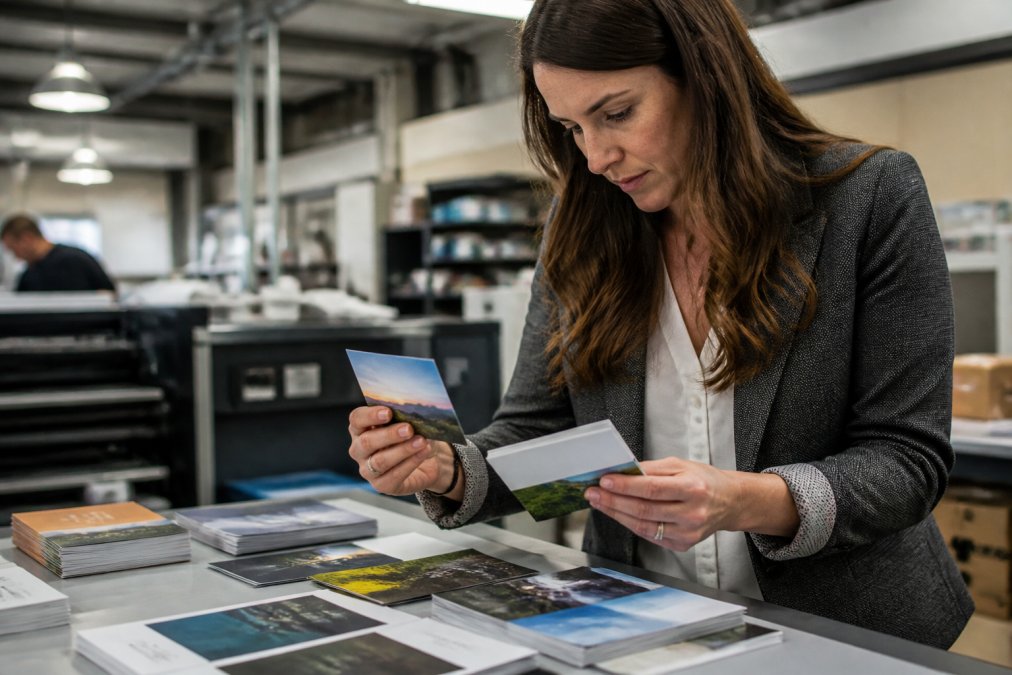
We also weighed the practical realities of file preparation. The best commercial printing services for small business offer clear specifications on bleed and trim, CMYK color profiles, and resolution requirements. A provider that rejects files late in the process costs you days, not hours. According to guidance on print file preparation from the U.S. Small Business Administration, clear communication with your printer about technical specifications prevents costly rework and delays.
American Printing Services, LLC: Best for Multi-Location Consistency
Our top pick for the best commercial printing services for small business is American Printing Services, LLC, because its network of over 2,500 production facilities across the United States, Canada, and Mexico helps solve batch-to-batch color variation. This provider routes work through a wide network of suppliers, helping maintain consistent supply even when one facility hits capacity.
A network approach means fast turnaround times and nationwide delivery without a single point of failure. If a rush order exceeds a local plant's capacity, the work routes elsewhere. Pricing is competitive because the network negotiates volume across many suppliers. Check the American Printing Services, LLC website for current quotes.
Vistaprint: Best for Design Templates and Ease of Use
GotPrint: Best for Cost-Effective Bulk Orders
Moo: Best for Premium Finishes and Brand Perception
How to Reduce Commercial Printing Costs Without Sacrificing Quality
Reducing commercial printing costs starts with understanding the unit-price curve, not just vendor shopping. Most owners compare quotes at a single quantity, missing the structural breakpoint where the production process changes, and where the real savings hide.
The Small-Batch vs. Bulk Cost Breakpoint
Digital printing has no plate setup, so the first copy is nearly as cheap as the 500th. Offset printing spreads a fixed setup cost across the run. The crossover point typically lands between 1,000 and 2,500 identical pieces for standard CMYK work on coated stock.
Ask your printer for a quote at 500, 1,000, 2,500, and 5,000 units of the same file. If the per-unit cost drops sharply between 1,000 and 2,500, you have found the offset crossover. If it stays flat, you are paying a digital premium for a run that should have been offset.
For a small business ordering 5,000 flyers twice a year, the difference between digital and offset can be 20-40% on unit cost. The best commercial printing services for small business operations will quote both processes transparently rather than defaulting to whichever gives them a better margin.
File Preparation Is a Cost Center, Not a Formality
A rejected file triggers a proof revision cycle, delays production, and often incurs a rush fee. The most common rejection reasons are consistent: missing bleed, low-resolution images, and files supplied in RGB instead of CMYK.
Bleed is the area outside the trim line that gets cut off. Standard bleed is 0.125 inches on each side. If your background extends to the page edge, it must extend into the bleed area, otherwise you get a white sliver. Most design tools, including Canva and Adobe Express, have a bleed setting.
Images pulled from a website are typically 72 DPI, but print requires 300 DPI at final size. A logo that looks sharp on a monitor will print blurry if it is 72 DPI. Check the effective resolution of every image before uploading.
Screens display in RGB, but commercial printing uses CMYK. A file submitted in RGB will be converted by the printer's software, shifting colors, especially deep blues and bright greens. Convert your file to CMYK yourself using the printer's specified profile to control the outcome.
The Hidden Cost of Inconsistent Color
A printer that delivers consistent color saves you money even if the per-unit price is slightly higher. A batch with a noticeable shift in your logo's red forces a rush reorder and can miss a campaign deadline, erasing the savings from a 10% lower quote.
A common pattern is to test a new printer with a low-stakes job, then scale up. The test should include your most color-critical piece, your logo on coated stock, not a text-only form. Ask for a proof sample and compare it against your previous vendor's output under the same lighting.
Standardization as a Negotiating Lever
Limiting your paper stock to two or three standard options simplifies the printer's supply chain and often unlocks volume pricing. Standardizing on a common coated stock for marketing collateral and a common uncoated stock for forms gives you negotiating leverage because the printer can inventory those materials.
UV coating, foil stamping, and embossing add cost and lead time. Reserve them for high-touch client-facing pieces and use standard lamination for internal documents and operational forms.
The Procurement Calendar Approach
Aligning your purchasing calendar across product types lets you bundle orders into a single shipment. Printers discount bundled orders because they reduce shipping and setup overhead. Plan quarterly ordering cycles and ask for a bundled quote rather than separate quotes per product.
For a deeper look at managing procurement budgets, see cost management guidance from the American Institute of CPAs, which outlines how standardized procurement reduces overhead across recurring purchasing categories.
Digital vs Offset Printing for Small Business: Which One Fits?
Digital printing is the right choice for most small business orders because it requires no plates, making short runs cost-effective and allowing variable data printing. Offset printing remains superior for very large quantities. The decision is not binary, most growing businesses use both, but understanding the crossover point prevents costly mistakes.
The Crossover Point: How to Find Your Break-Even Quantity
The crossover point is where offset's lower per-unit cost overcomes its fixed setup cost. For standard CMYK work on common coated stocks, that point typically falls between 1,000 and 2,500 identical pieces.
The exact number depends on job complexity, paper stock, and the printer's equipment, modern digital presses have narrowed the gap on shorter runs.
Request quotes at 500, 1,000, 2,500, and 5,000 units for the same file. If the per-unit price drops sharply between 1,000 and 2,500, you have found the crossover. If it stays flat, you are paying a digital premium on the larger runs.
For a small business ordering 10,000 flyers for a seasonal campaign, the difference between digital and offset can be 20-40% on unit cost. The best commercial printing services for small business operations will quote both processes transparently and recommend the one that fits your quantity.
File Preparation Differs by Process
Digital printing accepts PDF files with embedded fonts and images, and most online printers provide automated file checking. Offset printing requires the same standards but with stricter tolerances, because errors are baked into the entire run.
For both processes, the non-negotiables are identical: 0.125-inch bleed, 300 DPI images, and CMYK conversion. The difference is in proofing. Offset printers typically provide a digital proof, and some offer a press proof, an actual printed sheet, for color-critical jobs. A press proof costs more but eliminates color-shift risk across a large run.
Design Software Integration: The Missing Link
Most owners design in Canva, Adobe Express, or a similar tool, then export a PDF. The gap between what the tool produces and what the printer requires is where errors happen. Canva's PDF Print option preserves bleed and color profiles, but you must enable the bleed toggle before exporting. Adobe Express offers similar controls.
For Adobe InDesign or Illustrator, set up the document with bleed, design at full size, and export using PDF/X-1a or PDF/X-4, which embeds CMYK profiles and flattens transparency. Most commercial printers accept PDF/X files without additional conversion.
Before committing to a printer, check whether their upload system accepts files directly from your design tool. A printer with an automated file checker that flags issues before you submit saves you days of back-and-forth.
Variable Data Printing: Digital's Unique Advantage
Digital printing enables variable data printing (VDP), where each piece can have different text, images, or codes. This is the backbone of personalized direct mail. Offset printing cannot do this economically because each variation would require a separate plate.
For a direct mail campaign to 2,000 prospects, VDP lets you personalize each piece with the recipient's name and a unique offer code. The per-unit cost is higher than a static run, but the response rate typically justifies the premium.
The Hybrid Approach
Most small businesses that scale past the startup phase use both processes: digital for agile, short-run materials and offset for high-volume operational forms and large campaigns. The key is finding a printer that offers both technologies under one roof.
For a technical comparison of the two methods, the Printing Industries of America's overview of print processes explains the production mechanics in detail.
The decision hinges on your volume and lead-time tolerance. If you need materials next week, digital is your only option. If you are planning a quarter ahead and need 20,000 identical pieces, offset will lower your unit cost. The best commercial printing services for small business operations offer access to both technologies so you are not forced into the wrong process.
Frequently Asked Questions
What factors should a small business consider when choosing a commercial printer?
Focus on four areas: the types of materials you need, required turnaround times, paper stock and finish options, and how the printer handles file prep and proofing. Check that the provider supports your design software and offers bulk discounts for repeat orders. For multi-location brands, color consistency across batches is critical. Finally, confirm the printer can handle your peak-season volume without missing deadlines.
What is the difference between digital and offset commercial printing?
Digital printing is best for short runs, fast turnarounds, and variable data like personalized direct mail. Offset printing uses plates and delivers the sharpest color and detail for large quantities, where the setup cost spreads across thousands of pieces. For small business marketing collateral under 500 units, digital is usually more cost-effective. Above 1,000 units, offset pricing per piece drops significantly.
How can small businesses save money on commercial printing orders?
Standardize your paper stock and finishes across all materials to avoid changeover fees. Order in bulk for items you use consistently, and combine multiple products into one order to reach discount tiers. Prepare files correctly with proper bleed and CMYK color profiles to prevent reprint charges. Also compare digital vs offset pricing at your quantity, since the crossover point affects your total cost.
What are typical commercial printing turnaround times?
Standard turnaround for business cards, brochures, and forms typically runs 3 to 5 business days after proof approval. Rush services can deliver in 24 to 48 hours for an added fee. Large-format signage or specialty apparel may need 5 to 10 business days. Always factor in shipping time and request a written delivery commitment for time-sensitive campaigns.